Designing a Mobile Experience That Helps Coaches Act in Real Time
Context
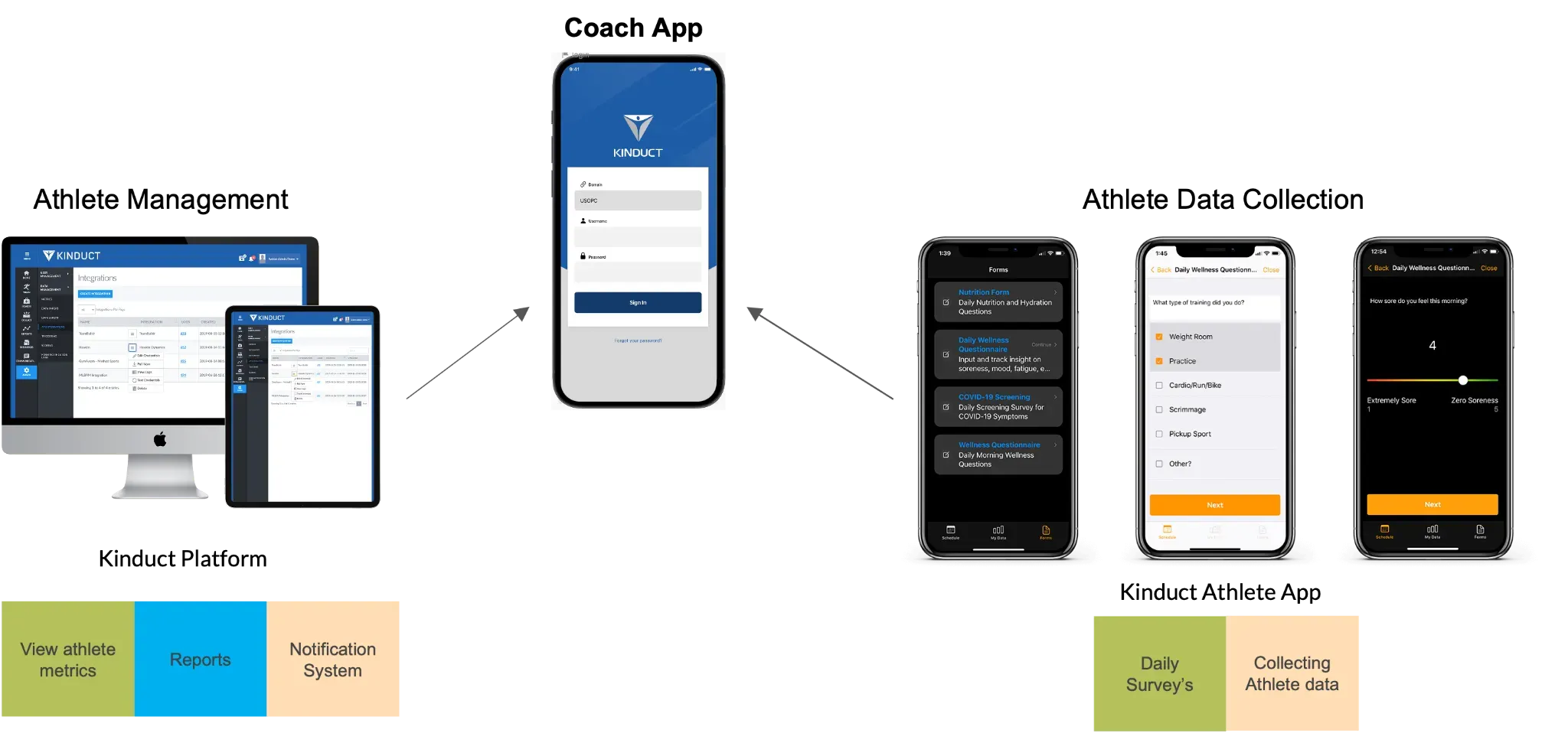
When I joined the project, one of challenges we heard from our clients were athlete coaches were facing a critical gap. They spent their days on training floors, fields, and courts, constantly moving and focused on athletes. The only place they could view alerts and performance insights was a web platform that required time, a laptop, and reliable internet. Most coaches didn’t have any of those during their workday.
That meant serious risks could go unnoticed until it was too late.
This was the moment where the opportunity became clear. If coaches couldn’t come to the data, the data needed to go to them.
Seeing the Problem Through the Coach’s Eyes
To understand the real challenge, I started by learning how coaches worked. Through conversations, task observations, and reviewing existing platform usage, one theme stood out. Coaches wanted to know only one thing in the moment.
Is anyone on my team at risk right now?
They didn’t have time to dig, filter, or interpret. They needed fast signals, not dashboards. This insight became the foundation for the entire experience.
Framing the Design Opportunity
The goal wasn’t to recreate the entire web platform on a phone. It was to design a focused mobile tool that helped coaches:
• Spot athletes who needed attention
• Understand why an alert mattered
• Take action quickly
• Stay informed even with limited connectivity
This clarity helped shape an MVP that solved immediate pain instead of overwhelming users with features.

Defining Who We Were Designing For
The primary persona was a head or assistant coach responsible for athlete readiness and performance. Their days were packed, fast paced, and often spent in environments with poor internet access. They needed something that worked in their reality, not ideal conditions.
Their goals were simple:
• Monitor athlete status
• Stay aware of risks
• Keep athletes engaged in data reporting
Their frustrations were equally direct:
• They couldn’t access the web platform during training
• They had no real time visibility into issues
• They often learned about problems too late
This persona helped the team stay grounded in real needs instead of assumptions.
Key Design Considerations
Information Scalability Mobile screens cannot support dense dashboards.
I prioritized:
Most actionable data first
Recognition over exploration
Reduced cognitive load
Notifications - Research insight: Coaches want to know immediately when an athlete is at risk.
Design decision:
Dedicated Notifications tab
Clear severity indicators
Context with suggested next steps
Filtering by alert type
Offline Resilience
- Training environments often have poor connectivity.
We ensured:
Essential data accessible offline
Clear indication when data may be outdated
Seamless sync when connection resumes
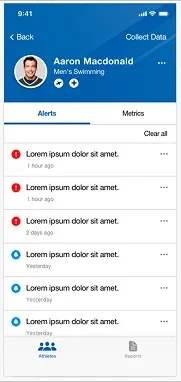
Athlete Management Experience
Athlete Management
Identify athletes requiring immediate attention
View performance metrics and alerts
Access athlete profiles and historical data
Data Management
Review reports and performance trends
Collect daily survey data
Enable group level data collection
These defined the MVP scope.