Why Holiday Gift Drives Get Duplicate and Missing Donations
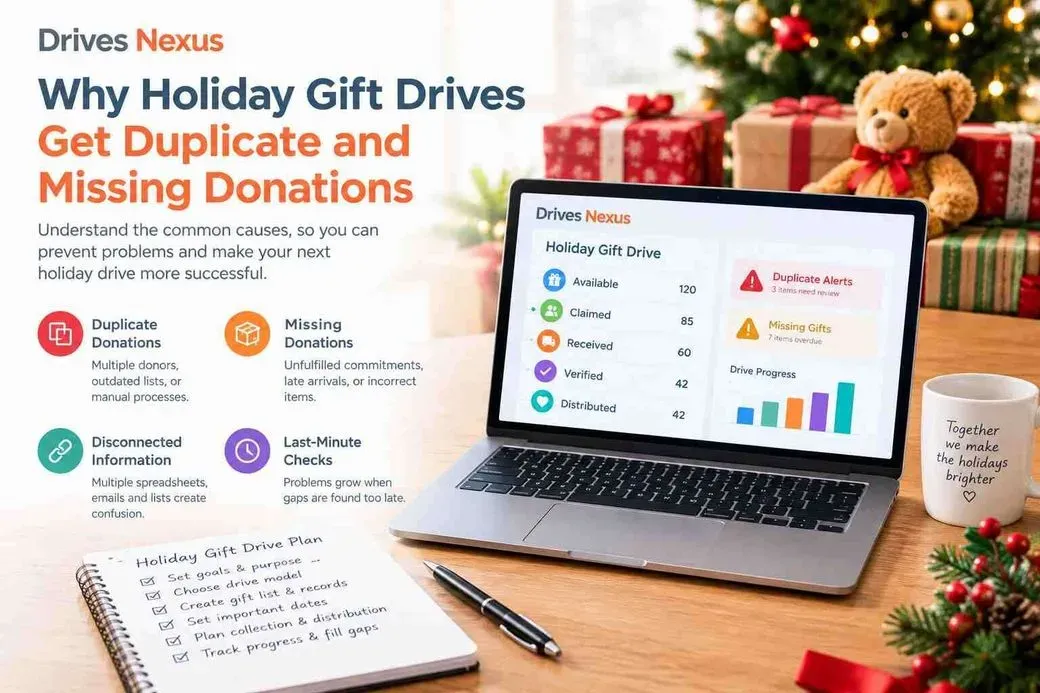
A holiday gift drive can look well organized from the outside while problems are quietly building behind the scenes. One donor may select a toy that another donor has already claimed. A gift may be marked as complete even though it has not arrived. Another donation may reach the collection site without enough information to identify who or what it belongs to.
These issues can create stressful follow-up work as distribution day approaches.
The good news is that duplicate and missing donations are often not caused by donors themselves. They usually come from gaps in the way a nonprofit records, updates, communicates, and checks gift information.
Understanding those causes is the first step toward better holiday gift drive management.
Duplicate Donations Usually Start With Disconnected Information
Duplicate gifts can happen when donors are working from different versions of the same information.
For example, imagine a nonprofit publishes a list of 100 requested gifts. A donor selects one item, but the public list is not updated. Another donor later sees that same item as available and purchases it.
The problem is not that either donor acted incorrectly. The problem is that the availability information was not updated consistently.
Common causes include:
The same gift appears on multiple spreadsheets
Printed lists remain available after changes are made
Staff manually assign donors without updating the main list
Community partners receive different versions of the gift list
A public wish list does not reflect recent selections
Donors make selections through email instead of one defined process
Exact requests and general categories overlap
Staff accidentally duplicate records while entering information
When several people maintain separate lists, even a small change can create inconsistencies.
A Donor Selection Is Not the Same as a Received Gift
One of the most important distinctions in a holiday drive is the difference between claimed and received.
A claimed gift means someone has committed to providing it.
A received gift means the nonprofit physically has the donation.
These two events may happen days or weeks apart — or the second event may never happen.
For example, a donor could select a winter coat on December 1 and promise to deliver it by December 10. If the organization marks that coat as completed immediately after selection, the team may assume the need is covered.
If the donor later cancels or misses the deadline, the organization may not discover the problem until distribution preparation begins.
That is why holiday toy drive tracking should maintain separate statuses rather than treating every commitment as a completed donation.
Missing Gifts Can Have Several Causes
A gift can become a missing or unresolved need at different points in the process.
A donor may select an item but never confirm the commitment. A confirmed donor may miss the delivery deadline. A donor may cancel after selecting the gift without notifying the organization.
Physical collection can create additional problems.
A gift might arrive at the wrong collection location. A box may be received without the correct recipient or item identifier. Volunteers may check in a group of donations without recording what is inside. An incorrect size or different item may arrive and remain unnoticed.
These situations are especially difficult when the team does not have a clear process for recording exceptions.
Incorrect Gifts Can Look Like Completed Donations
Receiving a physical item does not always mean the original need has been successfully fulfilled.
Consider a request for youth-size 12 winter clothing. A donor delivers an item, but it is a different size. If the donation is simply counted as “received,” the system may show that the need is complete even though the requested item is still unresolved.
The same issue can occur when:
The wrong toy is delivered
A requested quantity is incomplete
A gift arrives without identifying information
A donation belongs to another recipient
A category receives an item that cannot be used
Verification is therefore an important step between receiving a gift and considering it ready for distribution.
Last-Minute Reviews Make Problems Harder to Solve
Another common issue is waiting too long to review outstanding needs.
If staff only compare the gift list during distribution week, there may be very little time to contact donors, reopen cancelled requests, purchase replacements, or redistribute available resources.
Regular reviews allow the team to identify exceptions earlier.
Instead of looking only at the total number of gifts collected, review questions such as:
Which gifts are still available?
Which items are claimed but not received?
Which commitments are overdue?
Which received gifts need verification?
Which recipients or categories still have gaps?
Are any donations sitting at another collection location?
This turns tracking into an active management process rather than a final counting exercise.
The Root Problem: No Single Current Record
Most duplicate and missing-gift problems connect back to one operational issue: the nonprofit does not have one current record connecting the gift need, donor commitment, physical donation, and final distribution status.
A reliable workflow should make each stage visible:
Available → Claimed → Received → Verified → Distributed
Each status tells the team something different.
Available means the need can still be selected. Claimed means a donor has committed to it. Received confirms the physical donation has arrived. Verified confirms that the gift matches the requirement. Distributed records the final outcome.
When these stages remain connected, staff can identify problems before they become distribution-day surprises.
How Nonprofits Can Reduce Duplicate and Missing Gifts
The solution does not necessarily require a complicated process. Start with a few consistent rules:
Use one current source of gift information.
Give exact gift needs unique identifiers.
Keep claimed and received statuses separate.
Provide clear donor delivery instructions.
Use consistent labels at every collection location.
Record unmatched or incorrect donations separately.
Review overdue and unresolved gifts regularly.
Assign someone responsibility for replacement needs.
For small drives, a spreadsheet may still be practical when the number of gifts, users, locations, and status changes is limited. As those relationships become more complex, maintaining accurate information across separate files becomes increasingly difficult.
A connected holiday donation drive software process can give nonprofit teams a clearer view of what is available, what has been claimed, what has arrived, and what still needs attention.
With Drives Nexus, nonprofit teams can organize gift needs and track the progress of holiday drives from donor selection through collection and distribution.
See the Free Holiday Drive Program and create a more organized holiday gift-drive workflow.
Frequently Asked Questions
Why do holiday gift drives receive duplicate donations?
Duplicate donations often happen when donors use outdated lists, multiple spreadsheets, printed lists, or disconnected selection processes.
What causes gifts to go missing in a toy drive?
Missing gifts can result from cancelled commitments, missed deadlines, incorrect deliveries, unidentified donations, or gifts being recorded as complete before they are physically received.
What is the difference between claimed and received donations?
Claimed means a donor has committed to providing the gift. Received means the nonprofit has physically received it.
How can nonprofits prevent duplicate donations?
Use one current gift list, update availability after selection, assign unique identifiers to exact requests, and use one consistent donor-selection process.
Should every received gift be marked complete?
Not necessarily. A received gift may still need to be checked for the correct item, size, quantity, recipient, or other requirements before it is considered verified.