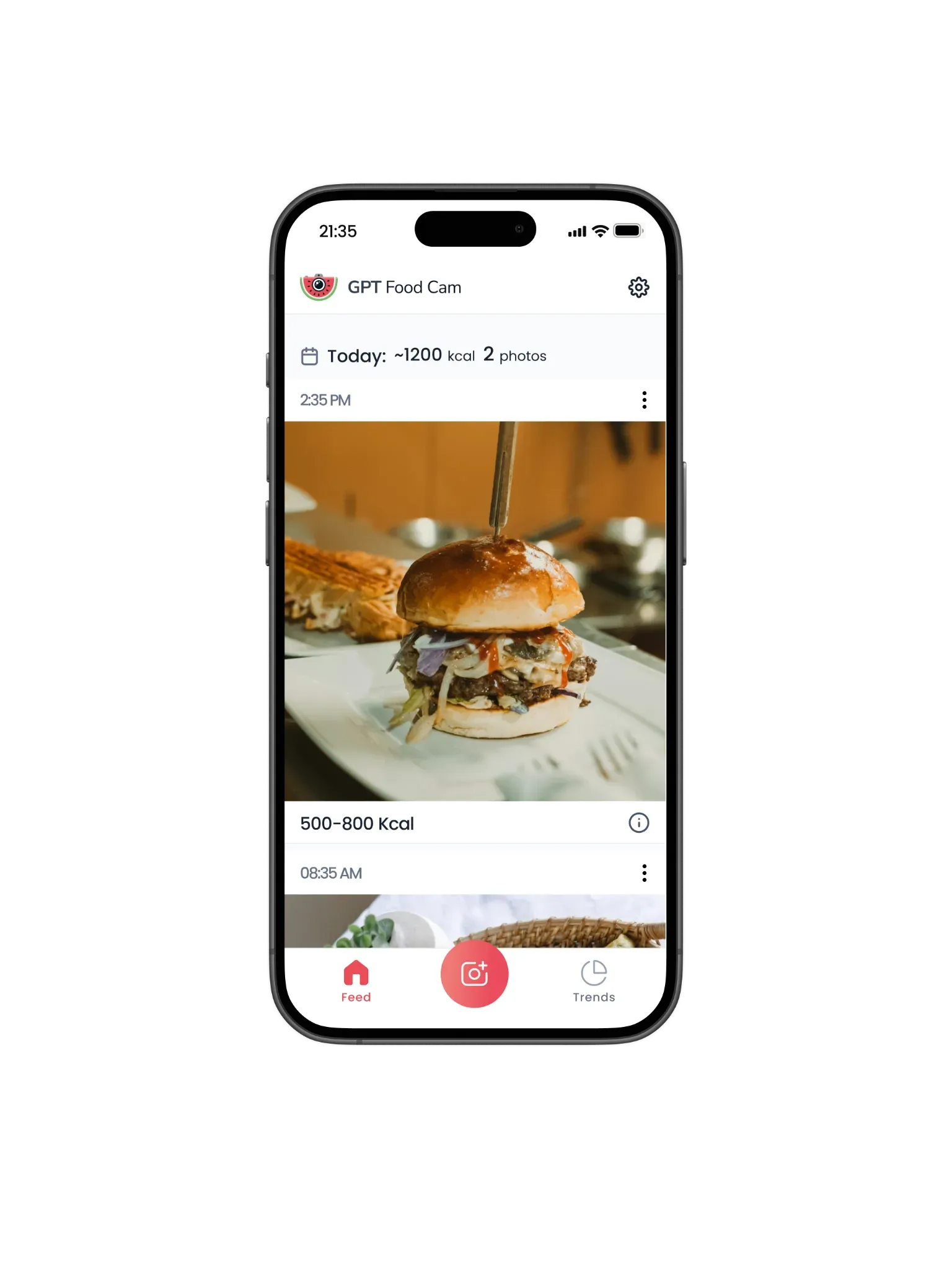
Log your food with AI
GPT Food Cam is the simplest food logger and calorie counter for iOS and it's 100% Free
Take a picture
Post it to your feed
See estimated calorie range
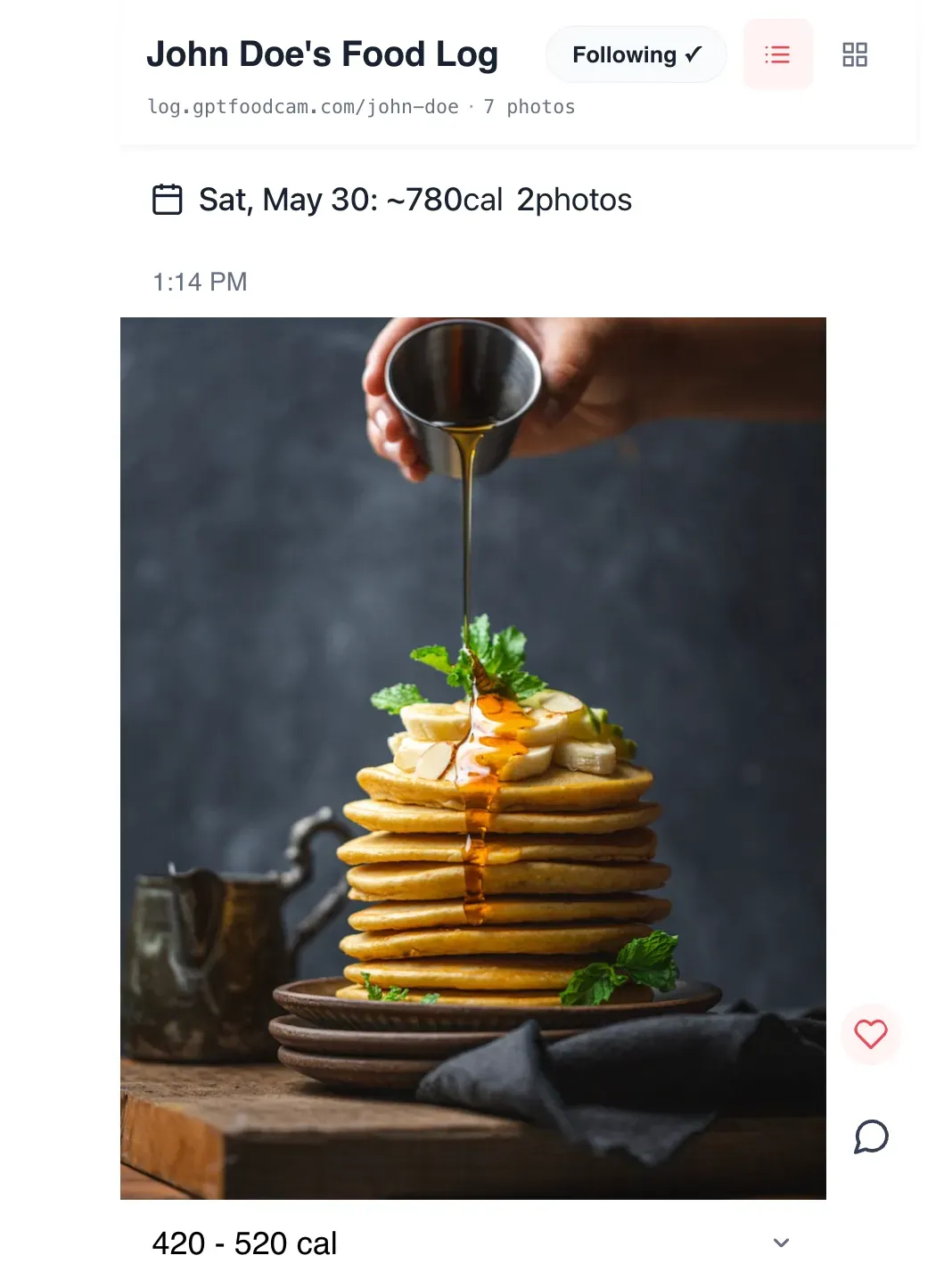
Share your log with your coach
Staying accountable is hard. GPT Food Cam makes it easy!
"I've seen the future of food logging apps, and it's GPT Food Cam" - The Spoon
Feedback
Support
Who made GPT Food Cam?
GPT Food Cam was made by Raj Singh and Ben Ashkenzai. Raj did most of the concept, product, early design and Ben did the initial development for 1.0. After a bit of a hiatus, we're making updates again.
Why did you make GPT Food Cam?
I (Raj) spent 9 months logging my food by texting my food coach a picture of every meal. I realized that the act of taking a picture is the core benefit because it makes you aware of what you are eating.
After wrapping-up with my food coach, I went to the App Store to find a replacement and they all sucked. They not only were expensive, but the experience was painful. You have to select the meal, enter ingredients, choose servings etc. I just needed something simple, so welcome GPT Food Cam.
The calorie range estimate is wrong?
To estimate the calories of the picture, we use Google Gemini which is an AI model provided by Google. It's not perfect but it continues to get better. Sometimes, taking another picture helps especially before adding sauces or alternatively, you can add a hint and this helps the AI with estimation. You can also provide some food rules to the AI via Settings in Food Background. This can make a significant difference. Finally, you can always manually edit the calories if that's easier.
All said, my recommendation initially is to not focus too much on the calories but focus on creating a habit of logging what you eat. Doing so will make you a mindful eater and will yield multiple health benefits.
How is this free?
So there is a cost to analyze a picture and estimate the calories. To cover this cost, we put an infrequent ad in the food photo feed.
We also have some restrictions. For example, you can only update the hint five times per post and we limit to 30 posts with AI estimates per day. These limits should work for 99% of users and hopefully the ads can cover our cost so we can keep this free!
If you're seeking an experience without any restrictions, we likely will have to charge for GPT Food Cam which is not currently planned but let us know.
Tell me about some of the design principles
There were a few of insights drawn from my own experience with food logging that makes GPT Food Cam the simplest and easiest app for logging your food and calories.
Fast -- When I used to log food with my food coach, often I was at a lunch meeting. It felt rude to take my phone and do 5 clicks and take a pic so I would use the iOS shortcut to quickly open the camera, quick snap and then put the phone away. Recognizing this behavior, GPT Food Cam, I believe, is the only food logger in the App Store that opens directly to the camera because it's completely optimized around speed and convenience.
Simple -- I played with popular food and calorie loggers such as MyFitnessPal and Lose It!. They all are too much work between clicking to open the app, clicking the meal, clicking to add an ingredient and so forth. They are fine if you want precision but I believe the mass market just needs simple and GPT Food Cam is that.
Free -- I was shocked to see that pretty much every AI food and calorie logger was charging $10+ a month! We made GPT Food Cam free with occasional ads in your feed to cover our cost.
How do I share my food log?
So we just added a feature so you can share your food log with your coach, doctor, partner, friend or whoever can keep you accountable. We also learned that many on Ozempic, Mounjaro or other GLP-1s are often asked by their nurse or doctor about what they ate.
Go to Settings and click Share Food Log and it will begin to upload any new pictures you log at a private link that you can customize and share. Unfortunately, we couldn't make this feature free because there is some cost to host the images but we did make it as cheap as we could.
Our goal is for you to make better food choices and sometimes sharing a food log is all the nudge you need.
What's next for GPT Food Cam?
GPT Food Cam was a hobby project made during the summer of '24. After a bit of a hiatus, we are making updates again. Our next big focus is to make it easy to share your food feed with others to create accountability. If you have feedback, please email team@gptfoodcam.com.
How best to use GPT Food Cam?
Make sure to take a photo each time you eat. If you miss a meal, it's ok, the habit forms slowly. That said, you can always still take a photo and edit the post date or re-post a previous meal.
Add the homescreen widget so you can see how many photos you've logged and calories you've eaten each day.
Share your food log. It'll keep you accountable.
Can I upload photos?
Yes, the primary workflow is to take a picture with GPT Food Cam but in those instances where you forgot or other, you can always upload a pic from your Camera Roll or post the photo directly from your Gallery. We also make it super easy to repost previous meals since eating the same things is actually a good thing for staying on track.
How can I support this app
We are glad you are enjoying GPT Food Cam. Please leave us a positive review in the App Store 🙏🏼 and tell your friends. Thank you so much.
Android support?
We are considering porting GPT Food Cam to Android but we do not yet have a timeline.
I have more support questions or other feedback?
Sure, please contact us at team@gptfoodcam.com