Minecraft World Download (ZIP): Installation Guide
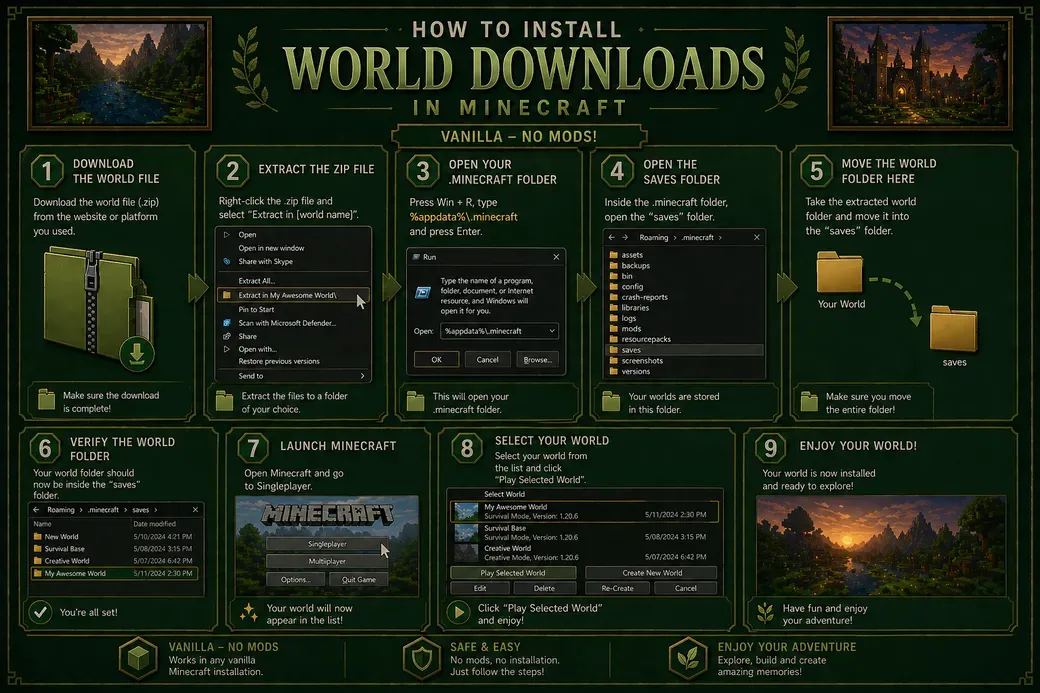
This guide explains how to install a Minecraft world download using a .zip file through the game directory.
After downloading the world file, make sure it is in .zip format. Right-click the file and select “Extract in [world name]” to create a folder containing the world files.
Press Win + R, type %appdata% and press Enter. This will open the Roaming folder. Then navigate to:
Roaming → .minecraft → saves
This is the directory where all your Minecraft worlds are stored.
Drag and drop the extracted world folder (not the .zip file) into the saves folder.
Once done, open Minecraft and go to Singleplayer. The world should now appear in your list and be ready to play.
Step Into the Full Experience
Experience the Full Map as Intended! When downloading my full maps, proper setup is essential. This guide will help you install everything correctly, ensuring nothing is missing and allowing you to explore each project exactly as intended.