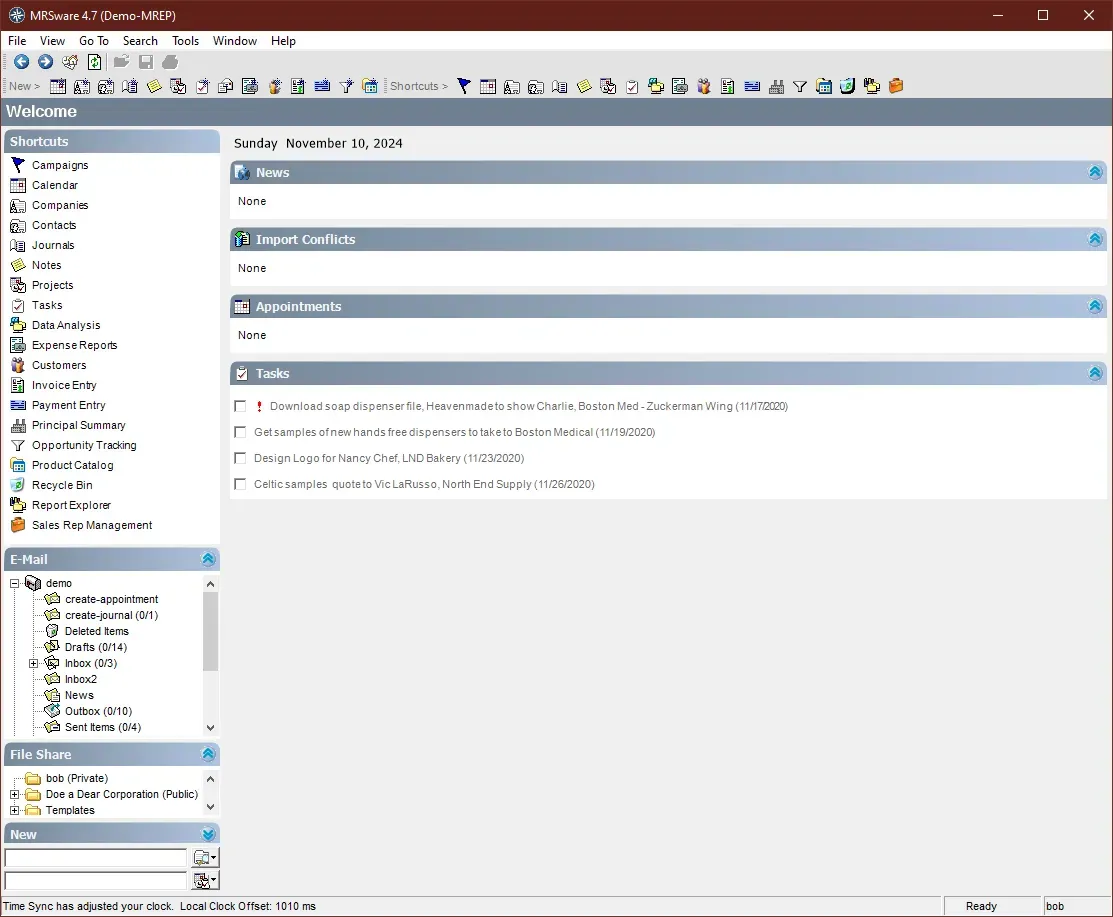
MRSware Desktop
Download the MRSware Desktop client for access to either the Demo installation or your company's system.
If you require your company Installation Keys, fill out the form below to have them sent over via email.
MRSware Download Links

Microsoft's .Net Framework
Microsoft's required component for Windows computers
Click the link to download the Microsoft .NET Framework 1.1. Click Run to start the installer, or Save and then Run. You will be prompted asking if you would like to install the .Net Framework 1.1 on your computer; select Yes and follow the prompts to complete installation.
Next download the Microsoft .Net Framework 1.1 Service Pack 1. Click Run or Save and Run once again to start the Service Pack installation. You will this time be prompted asking if you would like to install the Service Pack over top of the .Net Framework you installed above; select Yes and follow the prompts to complete installation.
After the .NET Framework 1.1 installs, it may ask you to reboot your computer.

MRSware Desktop
The MRSware installation package
Click this link to download the MRSware installation package. Click Run to start the installer, or Save and then Run. Follow the steps to complete the installation of the MRSware application.
After installing MRSware, there will be an icon for MRSware on your desktop. Double-click on the desktop shortcut to start MRSware.

The Keys
Request Demo keys or use your Company keys
Enter the Internet Address and Installation Token you received via e-mail.
The easiest thing to do is copy-and-paste them from the email you received. If you are an existing User reinstalling MRSware, you can find your company's keys in your Welcome Letter; and also on any computer that already has MRSware installed, by going to the "Help" menu and selecting "Installation Settings"
Connect with our experts to discover how MRSware CRM can transform your sales and commissions management.
Frequently Asked Questions
What permissions does the Demo showcase?
There are several logins for the Demo Installation. You can login as any and all of these Users to see the differences in permissions that the system is capable of. The password for all users is mrsware.
Bob Owner
John Sales Rep
Roger Business Manager
Jenny Sales Manager
Ryan Customer Service Rep
Stan Sales Rep
Melinda Data Entry
Can MRSware be customized to fit my specific business needs?
Yes, MRSware offers customization options to tailor the CRM and sales tracking features according to your unique business processes and requirements.
What support options are available if I encounter issues with MRSware?
MRSware provides multiple support channels including email, phone, and live chat support during business hours to assist you with any technical or usage issues.
Does MRSware support mobile access?
Yes, MRSware is accessible on mobile devices, enabling sales reps and managers to update and view information on the go.
How does MRSware support reporting and analytics?
MRSware includes integrated reporting tools that provide detailed insights into sales performance, commission tracking, customer interactions, and opportunity management to help you make informed business decisions.
How does MRSware handle commission tracking for multi-line sales reps?
MRSware provides a comprehensive commission tracking system that supports multi-line sales reps by accurately calculating commissions based on sales data from multiple product lines, ensuring transparency and timely payments.
How does MRSware ensure data privacy and compliance?
MRSware implements industry-standard security measures, including data encryption and regular security audits, to protect your data and ensure compliance with relevant regulations.
Can MRSware help improve sales team collaboration?
Yes, MRSware facilitates better collaboration through shared access to customer information, sales opportunities, and communication tools, enhancing teamwork and productivity.
Is MRSware cloud-based or on-premise?
MRSware is a cloud-based solution, allowing you to access your sales and customer data securely from anywhere with an internet connection.
How does MRSware integrate with accounting software?
MRSware can integrate with popular accounting software platforms to streamline commission payments and financial reporting, reducing manual data entry and errors.
What industries does MRSware cater to?
MRSware is designed primarily for independent manufacturers' representatives and multi-line sales organizations across various industries seeking efficient sales and commission management.
What kind of training is available for new MRSware users?
MRSware offers comprehensive training resources including live webinars, video tutorials, and detailed documentation to help new users get up to speed quickly.